
Private memory for conversations
you cannot give to the cloud
Record calls and meetings on your computer, or record and translate conversations on your Android phone. Stenograf transcribes speech on your own device. On desktop, ask questions and check the passages behind each answer.
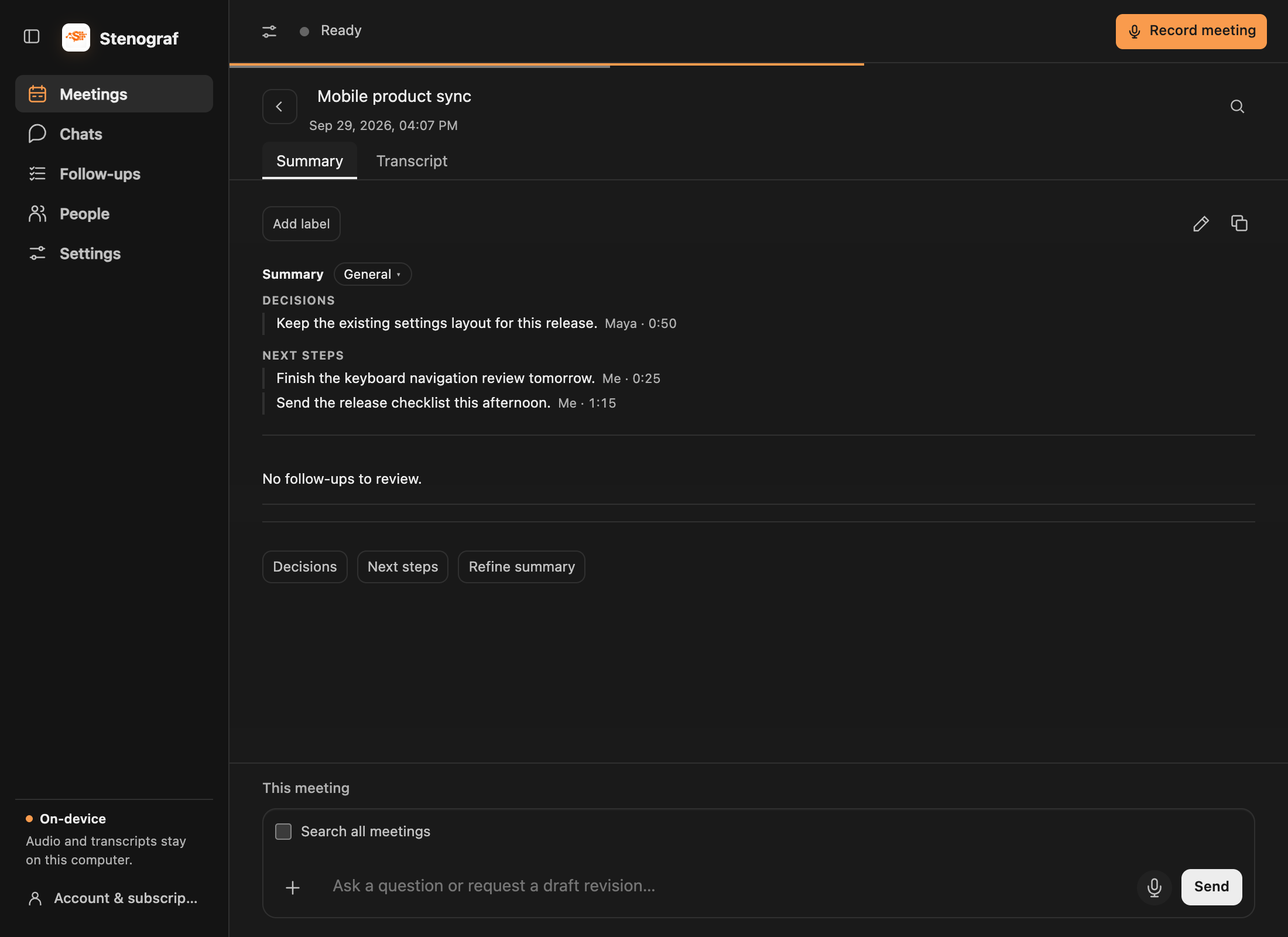
Record, remember, ask
Stenograf hears what your computer plays and what your microphone picks up, as two separate sources. It works with any call app, and with a meeting in the room.
Transcripts, speakers and summaries stay on your computer. Name a voice once and Stenograf recognises it in later recordings.
Ask in a meeting or start a chat across saved meetings. Attach documents, check the cited passages, and review proposed changes to your summary.
Record and translate on your phone
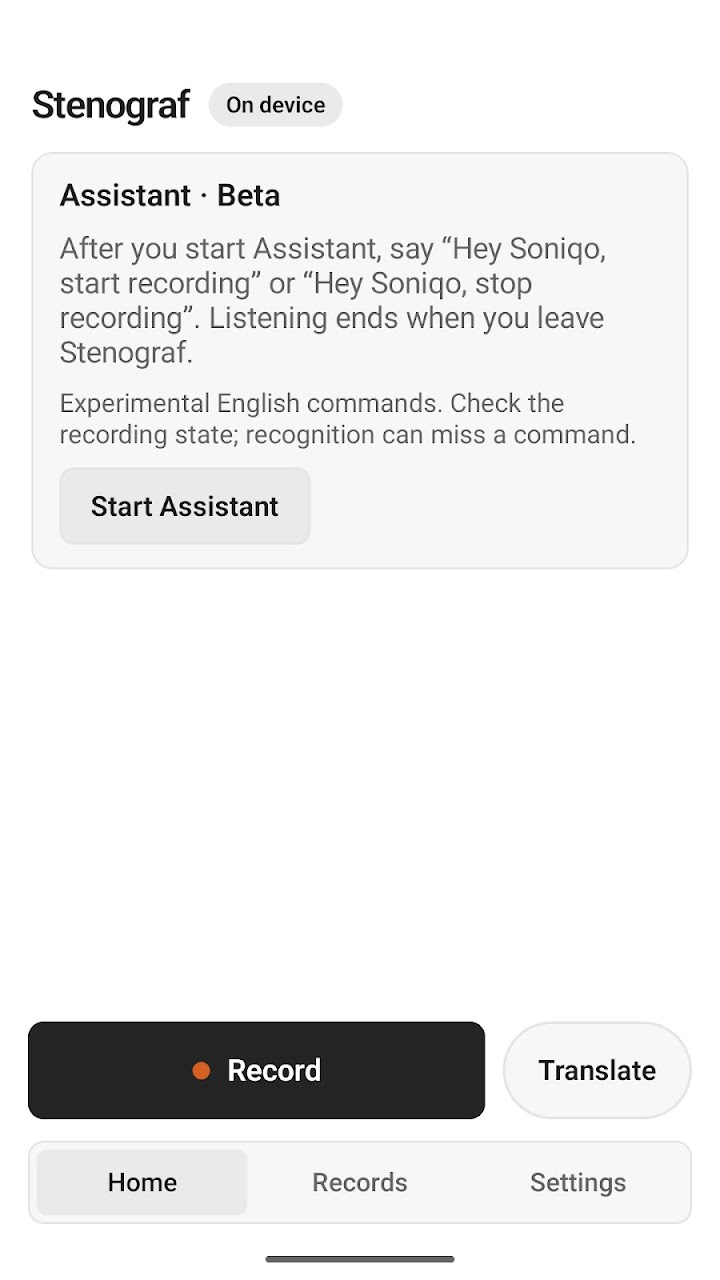
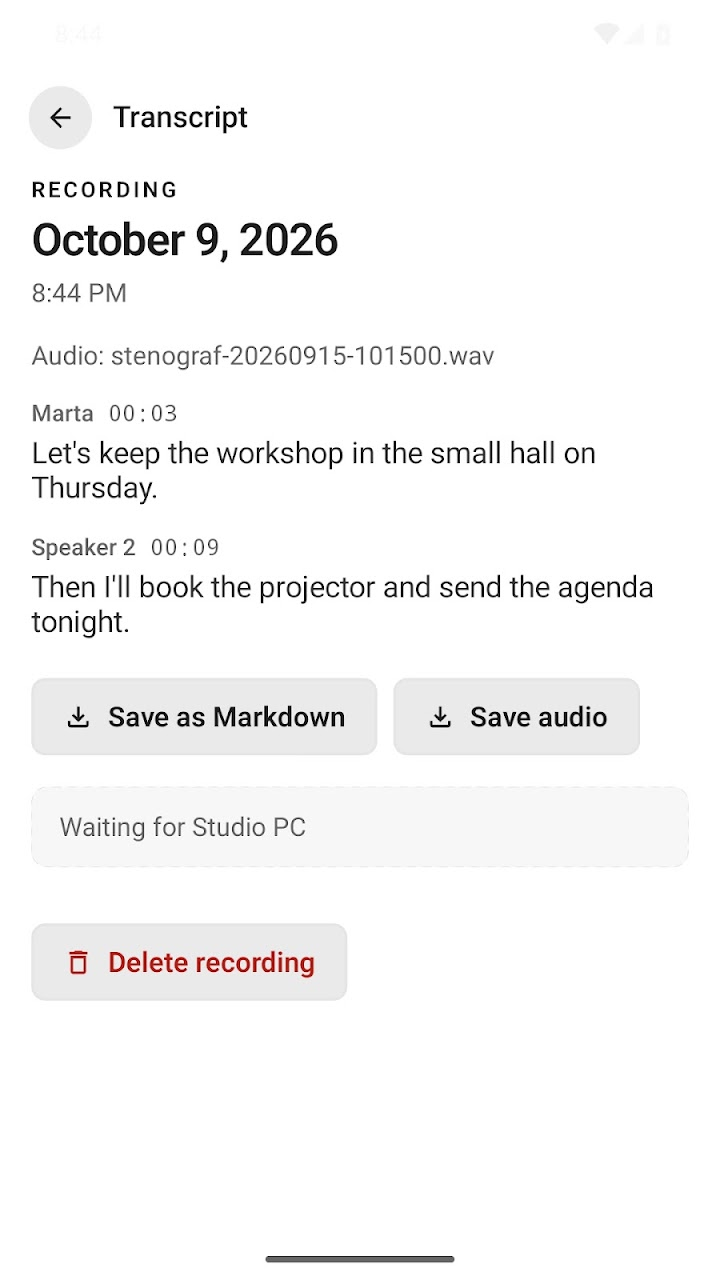
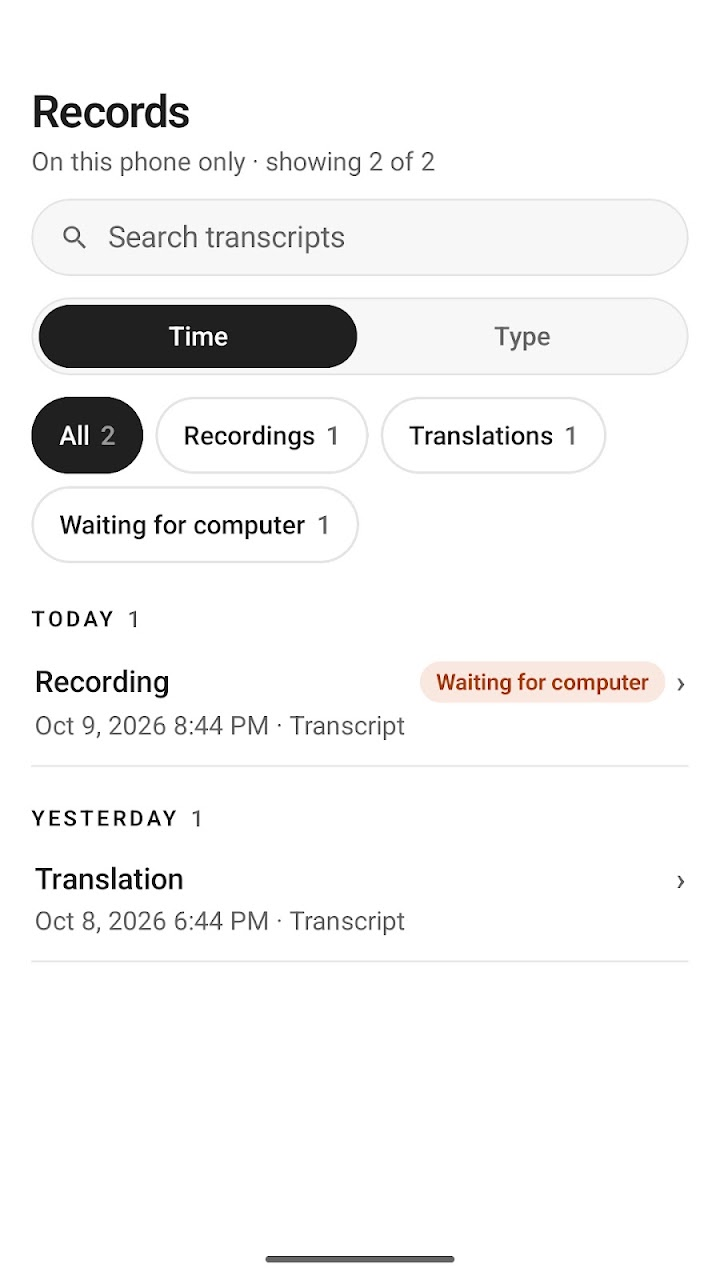
Record through your microphone and follow the transcript as you speak. Reopen it with speaker labels and timestamps, search saved recordings, and save the words as Markdown or keep a copy of the audio.
Translate conversations into English, Spanish, French, German, Italian, Portuguese or Russian. Recording, transcription and translation work offline after the models are downloaded. You can also pair with desktop to send phone recordings over your local network.
What stays on your computer
Your recordings, complete transcripts, Discover questions and answers, citations, speaker names and voice profiles, and calendar contents stay on your computer. Transcript excerpts leave it in one case only — inside a Discover rating you confirm.
Recording other people is your responsibility: tell everyone and get permission before you press Record meeting. What leaves your computer, and when
Before you download
- Runs on
- A Mac with Apple silicon on macOS 15 or later, or a Windows 11 PC. Local AI features such as summaries and chats need 16 GB of memory, and on Windows an NVIDIA graphics card. System requirements
- Mac App Store
- Stenograf is available on the Mac App Store. We recommend the DMG download above for installation on your Mac. View App Store listing
- Android
- Available on Google Play for Android 10 or later. Initial speech model downloads total approximately 1.3 GB; translation languages download separately. A desktop is optional. Android setup
- Your meeting notes
- Review the summary, edit it in place, and ask questions in the chat below. Prepare an agenda before a call and bring documents into the conversation. Meeting guide
- Custom vocabulary
- Add local hotword hints for names and technical terms in macOS Full transcription. Recording guide
- Desktop price
- A free trial, then $12 a month.
- Optional
- Meeting reminders with one-click Join & Listen from Google Calendar, Outlook Calendar or the Calendar app on your Mac, and read-only access for Claude Code, Codex or Claude Desktop over MCP.
Learn Stenograf
Install on Mac or Windows, start the trial, allow audio and make your first recording.
Install from Google Play, prepare offline models, record, translate and save conversations.
Your microphone, speaker names, importing audio, and transcripts from other tools.
Choose a dedicated guide for Granola, Otter, Fireflies or Zoom.
Google Calendar, Outlook Calendar or the Calendar app on your Mac: reminders and one-click Join & Listen.
Find meetings, edit summaries and templates, and correct the transcript.
Start or resume a chat, attach files, and check the sources behind an answer.
Review suggested next steps and the passages behind them.
Connect Slack, Jira and other services, then review and send meeting actions.
Give an AI assistant read-only access to your recordings over MCP.
Hold a key, speak, and have the words typed where your cursor is.
System requirements · Terms of Use · Privacy Policy · [email protected]