
After the meeting
Find a saved meeting, review its summary, edit your notes and ask questions with the source passages beside them.
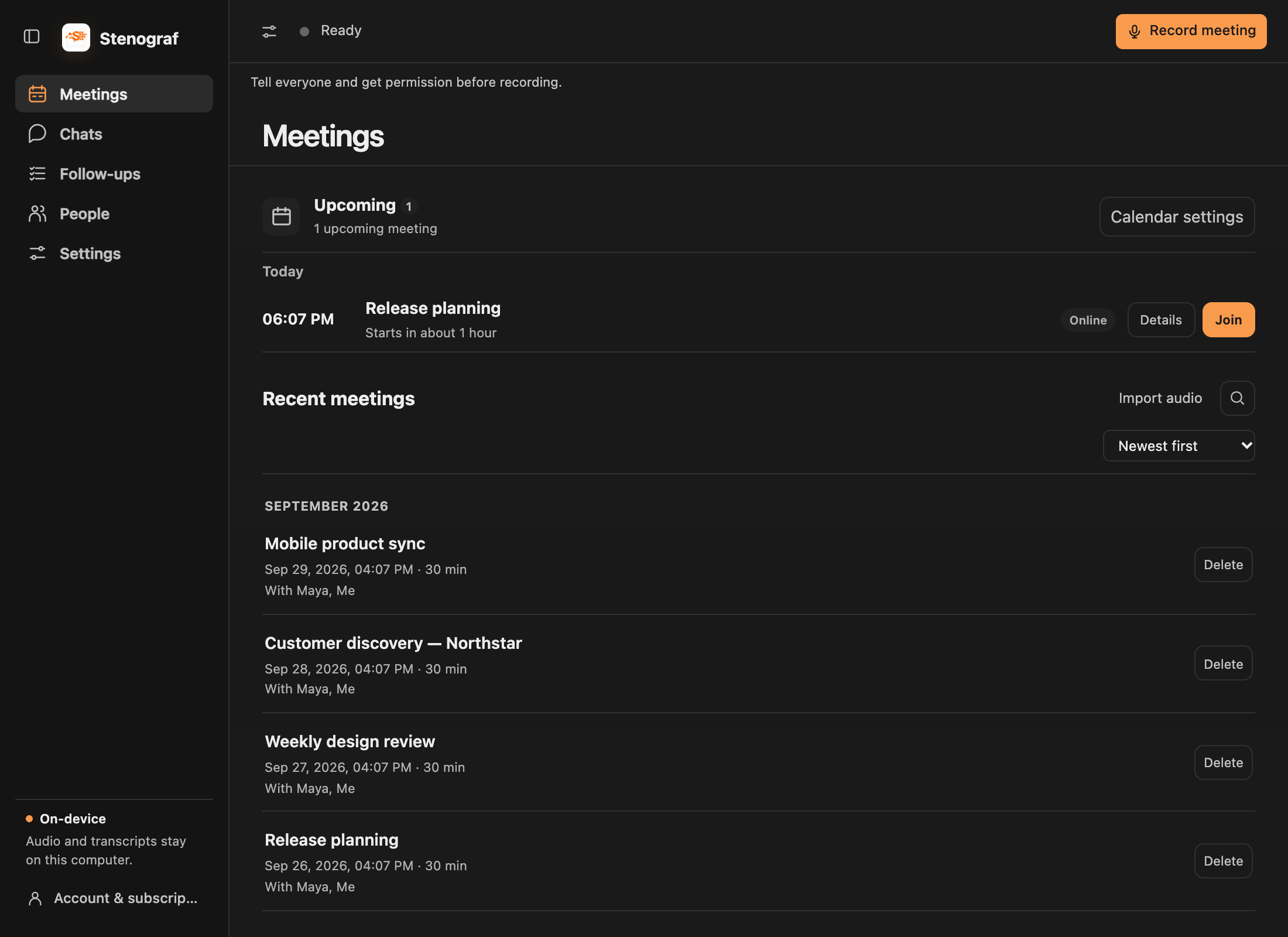
Start in Meetings
Meetings brings upcoming calls and recent recordings together. Search your saved meetings, filter by label, or change their sort order. Import audio is beside search on macOS.
When you stop recording in the recording view, Stenograf opens that meeting on Summary. If you are working elsewhere, a Meeting saved notice offers Open meeting without moving you away.
Review the summary and its evidence
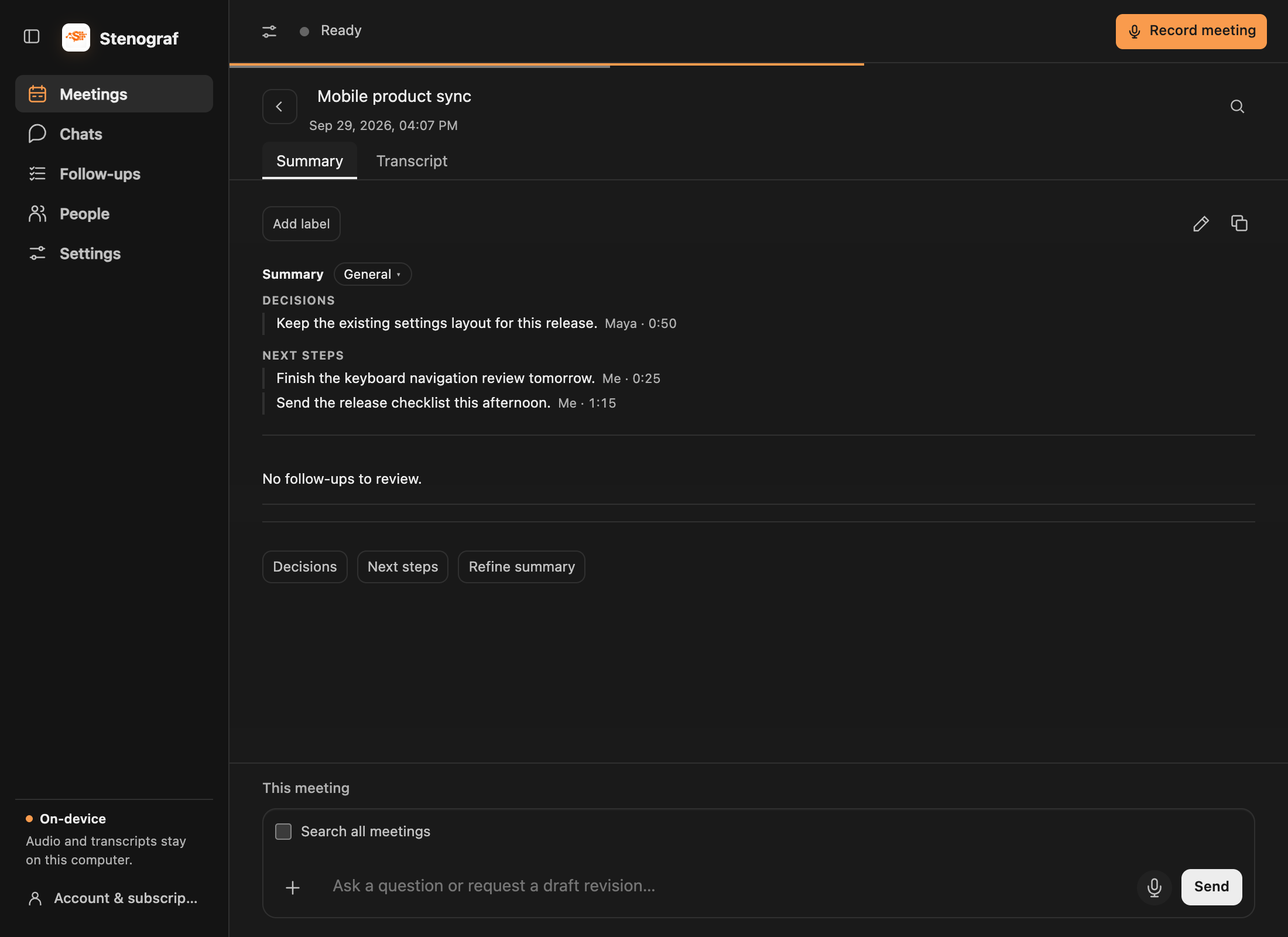
A saved meeting opens on Summary. Select a source reference to read the passage behind a point. Switch to Transcript when you need the full conversation. A generated summary can miss or misread something; check its evidence before relying on it.
Edit your summary directly
Choose the pencil beside the labels on the Summary tab. Edit in place with headings, bold, italic and lists, then choose Save. Cancel keeps the saved version. The copy icon copies the current summary; on the Transcript tab it copies the transcript.
You can also ask in the meeting chat: Update my summary with the next steps we agreed. A proposed revision stays separate until you choose Review changes and then Apply changes. Edit the proposal first if needed, or choose Keep current. Save or cancel any manual edits before asking for another revision.
Choose a summary template
Open Settings → Summary templates to choose the default and whether Stenograf should choose a template automatically after recording. Use Manage to edit template sections in the same rich text editor. Editing a built-in template saves your own copy.
Templates include General, Standup, 1:1, Sales call, Interview, Retro or planning, and Lecture. To change an existing summary, choose its template and Regenerate.
Correct a transcript
Switch to Transcript and use a paragraph’s pencil to correct its words. Replace text fixes repeated mistakes across that recording. Check the summary again after correcting its source.
Find meetings through People
People groups meeting entries by email and keeps name-only speaker entries separate. Search by name or email, then sort by Most meetings or alphabetically. Your own recognized accounts and Me are hidden. An invitation is marked separately from a transcript speaker; it does not prove someone spoke.
Open a person to see their meetings and start a chat about those meetings.
Continue in chat
The composer below the meeting already has that meeting as context. Ask a question, attach a document with +, or dictate with the microphone button. See Chats and sources for context selection, evidence and saved conversations.