
Chats and sources
Ask about one meeting, a person’s meetings, attached documents or your saved meetings. Read the sources behind the answer.
Start a chat or resume one
Open Chats to start a new conversation. Type into the composer or pick a recent chat on the main page. The sidebar also keeps your conversations and a New chat action.
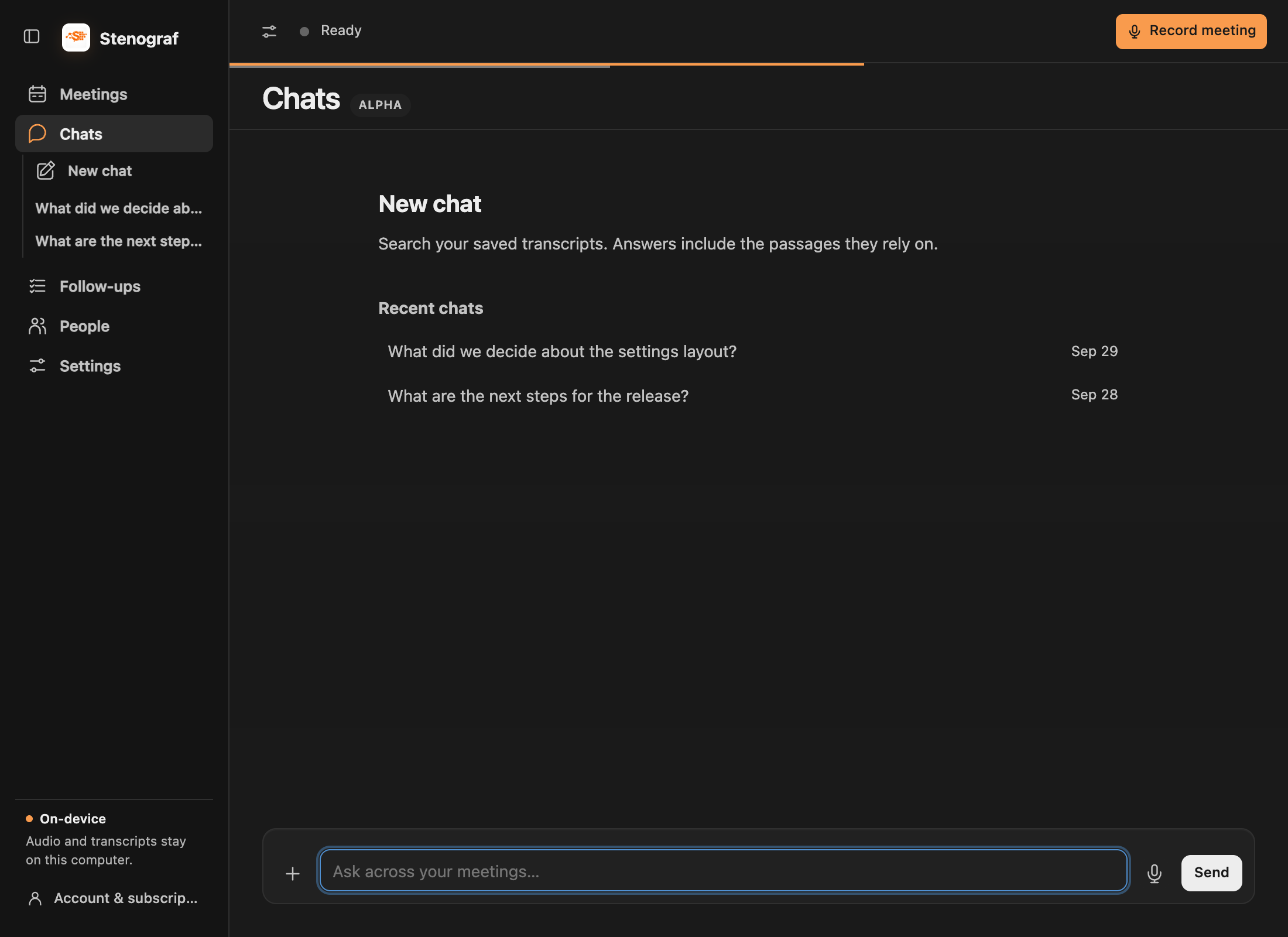
Ask about a meeting
Open a saved meeting in Meetings and use the chat below its Summary or Transcript. The composer shows which meeting you are asking about. Follow-up questions continue that conversation, and returning to the meeting restores its saved chat.
Turn on Search all meetings when the answer may depend on other recordings. It is optional: you do not need to select a separate “this meeting” mode first. To ask about meetings involving a person, open them in People and start a chat there.
Add your own documents
Attach reference material to a new chat or a meeting chat: for example, a project brief, proposal, agenda or spreadsheet. A document does not need to come from a recording or calendar invitation. Ask about the document itself or use it alongside your meeting context.
Use + beside the message field to attach a PDF, Word (.docx), Excel (.xlsx), Markdown (.md) or text (.txt) document, up to 20 MB per file. Attached files appear by name and are included as context. Remove a file when you no longer want it included. A file that cannot be converted shows an error; for scanned PDFs, try a text-based export.
Large documents are read in sections. Progress identifies the file and how much has been read. If a run stops before enough evidence is available, review the partial result and use Continue when offered. Attaching a file does not mean every section has already been read.
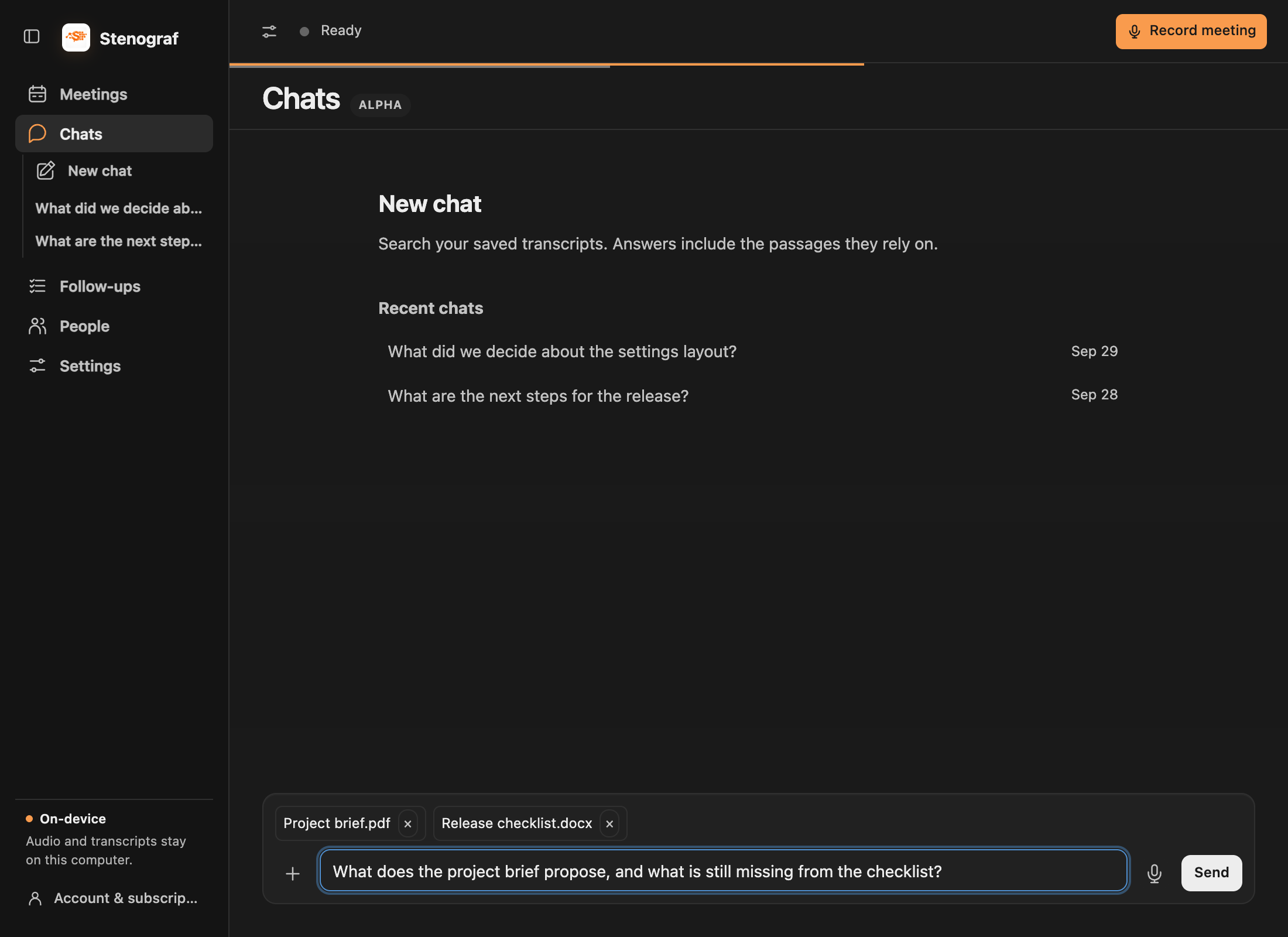
Dictate a question
The microphone button dictates into the composer. Check the recognized words before choosing Send.
Read the evidence
Ask a concrete question, such as What did we agree about the release date? Answers link to the transcript passages or attached-document excerpts used. Follow a reference to inspect it. The app can say it needs more research rather than present an unsupported answer.
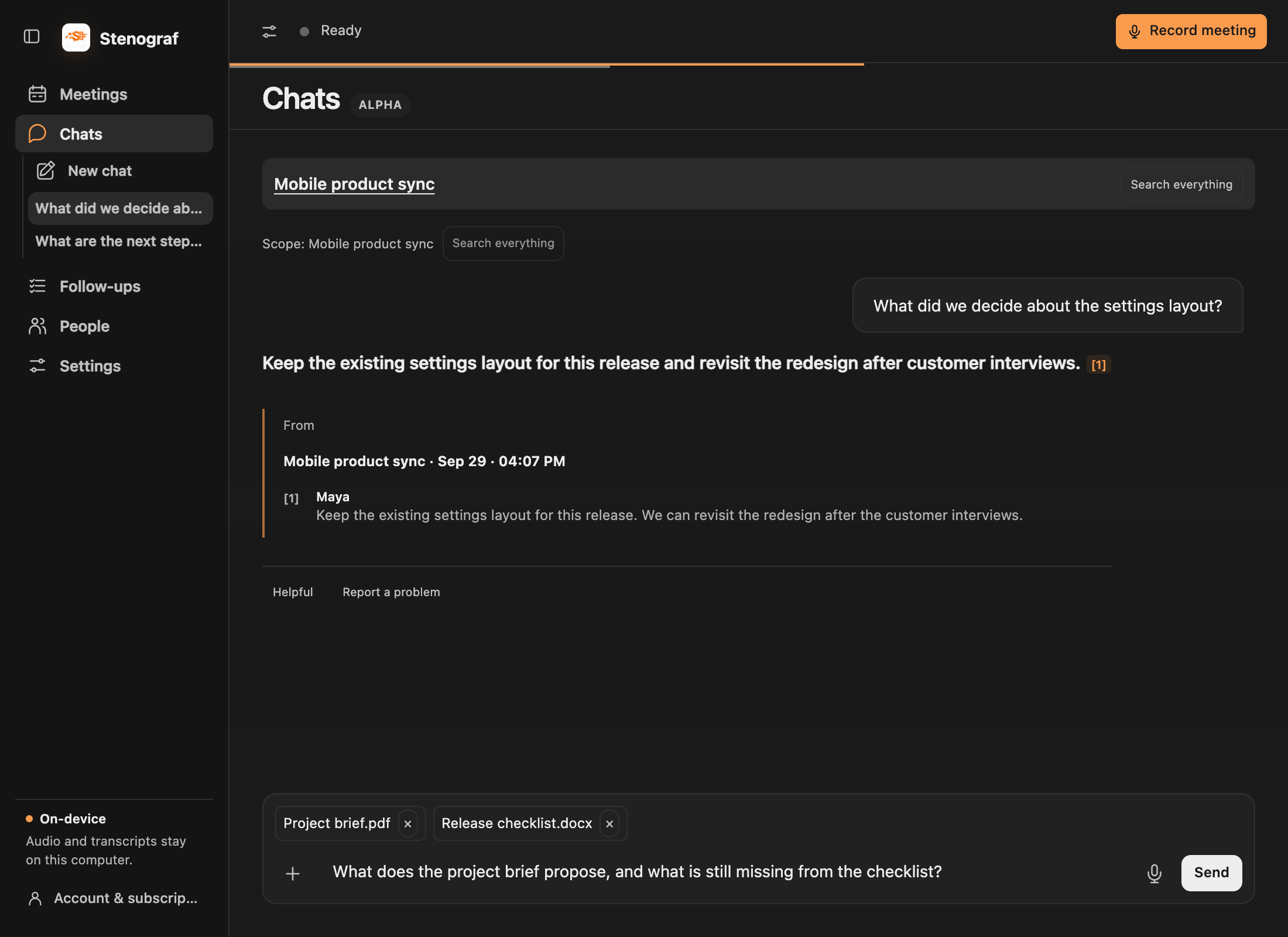
Revise the summary through chat
In a meeting chat, ask explicitly to update your summary. Review the proposed text before applying it; an ordinary answer does not overwrite your notes. See editing summaries.
Set up the local model
Chats, summaries, translation and Live assistance share one local language model. Open Settings → Local AI → Local language model, choose Built-in or Ollama, then Set up model. The built-in model is Gemma 4. Ollama runs separately on this computer and lets you choose another installed local model. Cloud models in Ollama are refused.
These features need enough memory for the selected model. See the system requirements before downloading.
Rate an answer
A rating is optional. Before sending it, review the attachment showing the question, answer and quoted passages that will accompany it. Nothing else from the recording is added to that rating.